Category Archives: Machine Embroidery

Birthday Card

RibbonCard2

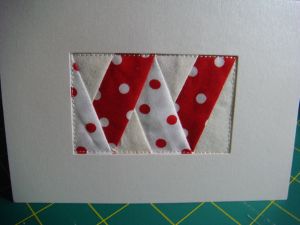
We have two birthdays coming up, so I decided it was time to design a new card. This one is foundation pieced using my embroidery machine.

I digitise the design in Thred, convert it to the right format and resize it in Embird and then stitch it out. The cards are from Officeworks (you can get them in a range of colours).

I could just do traditional foundation piecing, but I find this much easier and way more accurate.

Leave a Comment

Filed under Foundation Blocks, Machine Embroidery

Another Commission and Comment Problems

OliviaDesign

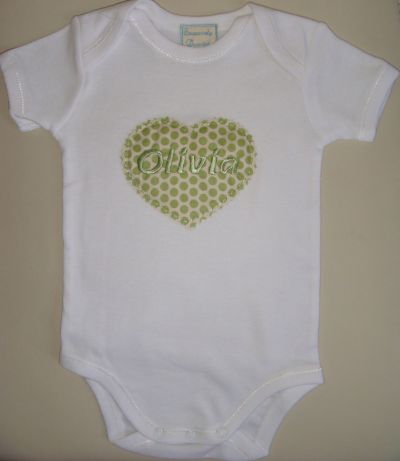
A friend has ordered a bodysuit (onesie) for a friend’s baby. The font is Nadianne from GG Designs. I have a CD with 25 fonts – very useful. I think I should design my own fonts, but that’s quite time consuming and it’s nice to have some fonts I can use when I’m in a hurry.

And here is the final product …

Olivia_BodySuit_Sm

I’ve been having a few problems with the comments. I’m being spammed by some drug thing – very annoying.

Leave a Comment

Filed under Machine Embroidery

Apron

I’ve been busy designing an embroidery for an apron.

apron_design.jpg

Leave a Comment

Filed under Machine Embroidery

Making Letters for Applique Using An Embroidery Machine – Part 2

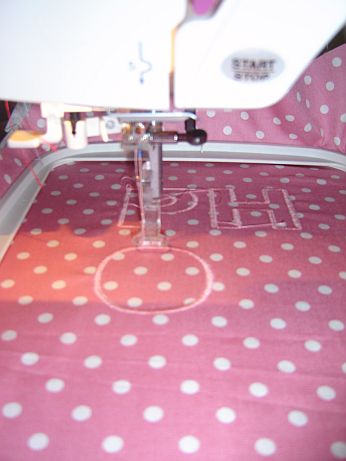
In Part 1 I digitised my letters. Now I’m going to stitch them out and attach them to a towel.

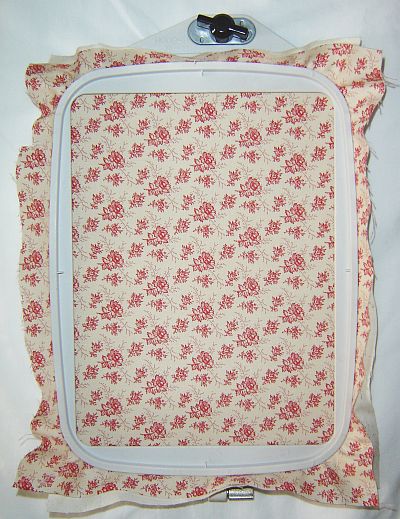
I like use calico (Quilters muslin) as a stabiliser for my T-Shirt and Towel appliques. It seems to work really well for me.

AppliqueHoopSm

As you can see, I hoop the fabric as well. For some other projects I don’t hoop the fabric just the stabiliser, but I’ll save that for another day.

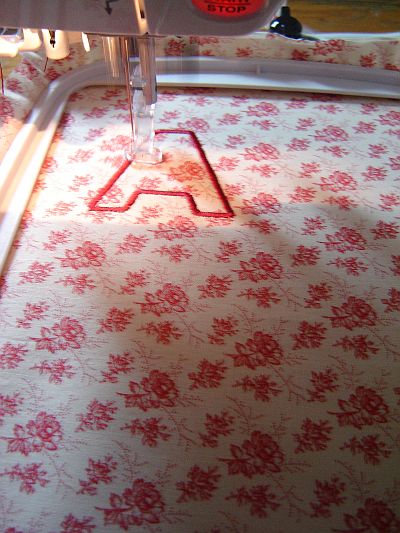
I then stitch out the letters…

Stitching Applique

I use Robinson-Anton Rayon Embroidery thread and Janome bobbin fill (I resent having to buy the Janome Bobbin fill, but it does seem to work the best). It’s also a good idea to change the sewing machine needle every 8 hours or so.

I then cut out the letters. I usually do this while watching T.V.

I’m now ready to attach them to a towel.

I spray the back of the letters with a basting spray – currently I’m using Craft Smart Applique and Embroidery Positioning Spray (I also use this to attach fabric to the stabiliser when I don’t want to hoop the fabric). I bought it from Spotlight.

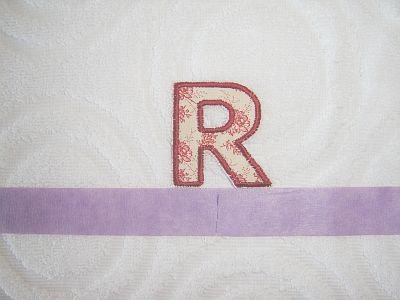
I use low tac masking tape on the towel to mark a straight line and I place the middle letter of the name in the centre of the towel – the spray will make them stick (just temporarily).

Applique Towel

I then attach the letter. I use an ‘invisible’ thread in the needle and a bobbin thread in a colour to match the towel (in this case white). I use Sulky Invisible Thread, which you can get from here.

I sew the remaining letters using the same method – working outwards from the centre. For example, with a name like Karen I would start with the r, then the a, then the e, then the K and finally the n.

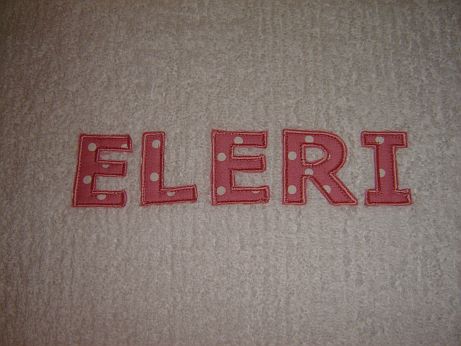
I would show you the finished product, but this one is a gift and I don’t want anyone to see it before them, but here is one I prepared earlier…

EleriTowel

Leave a Comment

Filed under Machine Embroidery, Sewing Machine

Making Letters for Applique Using an Embroidery Machine – Part 1

As I’m planning on making a few more of these towels as gifts, I thought I would describe the process.

I like to use a sans-serif font. Less fiddly when you come to sew the letters on! My favourite at the moment is Verdana.

I use a combination of Paint, Scansoft PC (an old Janome Package) and Embird to create my letters.

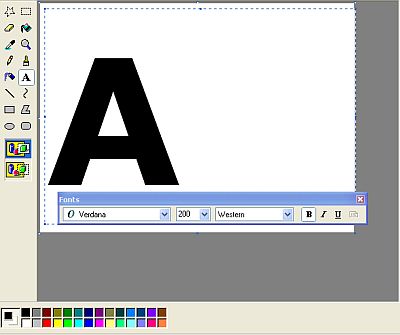
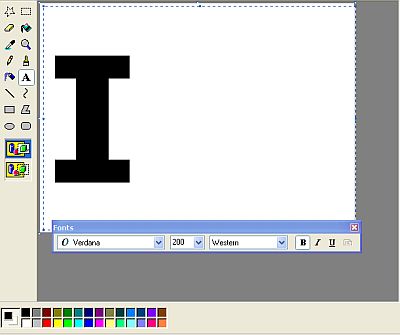
In Paint I set the image size to 400 by 380 (that’s the size scansoft can take). I then use the Text tool (set to Verdana, Bold, size 200) to create one letter.
Scansoft10

Of course, you can use whatever size and font you like. I then save the letter as a monochrome bitmap – it’s one of the options on the Save As panel. Once again, I do this because Scansoft will only take monochrome images (it’s very old software, but cheap!).

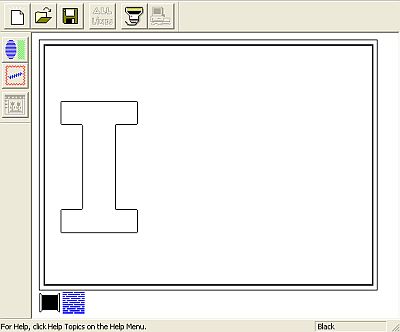
I then open Scansoft and import my letter.
DigitisingVerdanaSm

The software traces all of the lines.

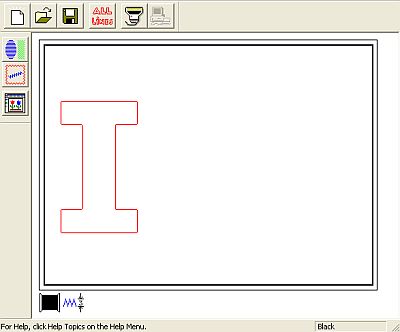
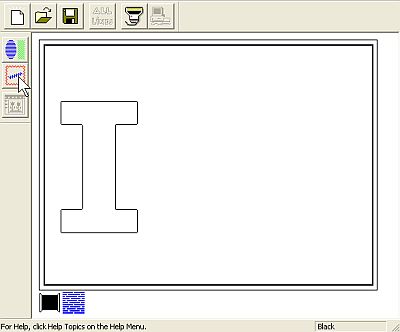
I select the Line tool (the cursor is pointing to it in the image below)
Scansoft2

I then select (on the panel that pops up) the width of the satin stitching.
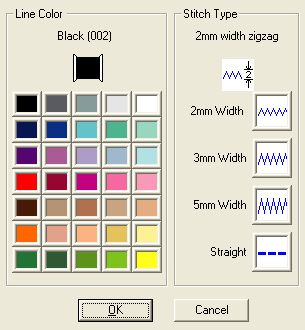
Scansoft3

At this stage I don’t worry too much about the colour – you can use whatever colour you like when you sewing it out.

I want to embroider all of the lines, so I select the All Lines button (see image below).
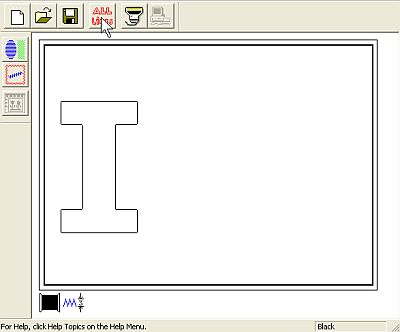
Scansoft4

The image is highlighted.

Scansoft5

I then select the Register button to make the embroidery.
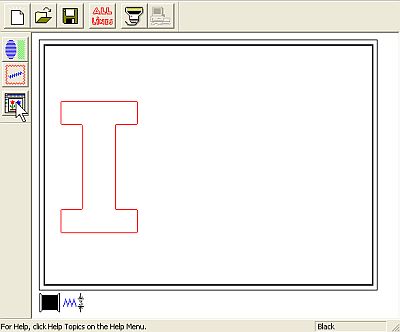
Scansoft6

The following panel appears

Scansoft7

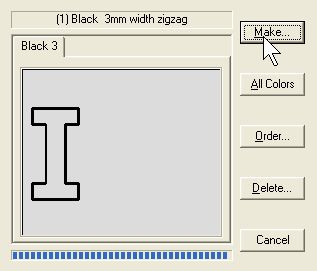
I select the Make button (the Cursor is point to it in the above image). The following panel appears …
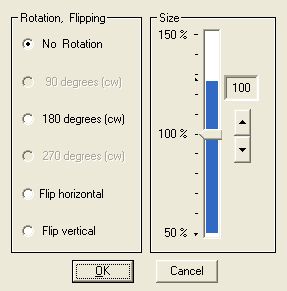
Scansoft8

I select OK and the letter is created.
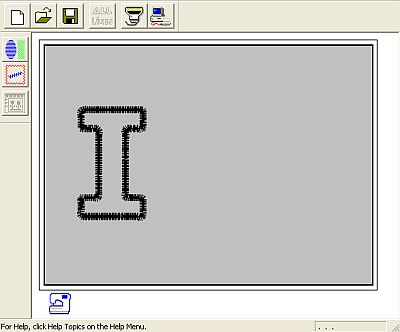
Scansoft9

I then save the letter in .sew format.

As I have a Janome MC350e, I need to convert from the .sew format to .jef format. I do this in Embird. See this tutorial for information about converting files in Embird.

I also like to use Embird to combine a few letters into one hoop (see image below for an example). I’ll create a whole new post later about combining designs in Embird.
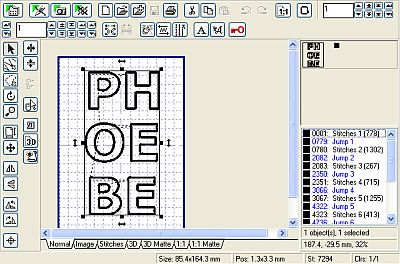
Embird1_Sm

I then save the designs onto my USB stick and stitch them out.

Next post: stitching out the letters and attaching them to the object.

1 Comment

Filed under Machine Embroidery, Software

More T-Shirts

I’ve been working on more T-Shirts…

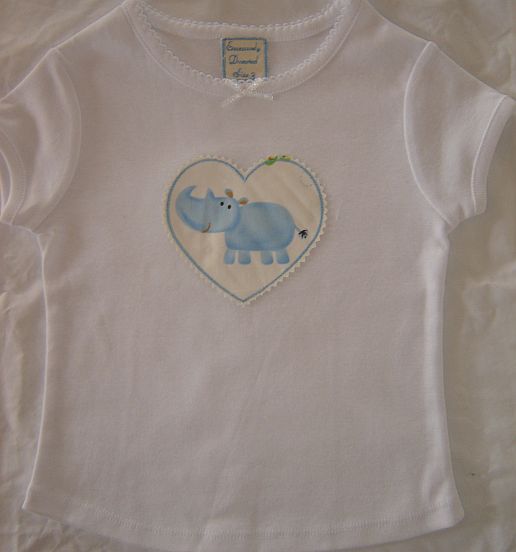
BlueRhinoSm

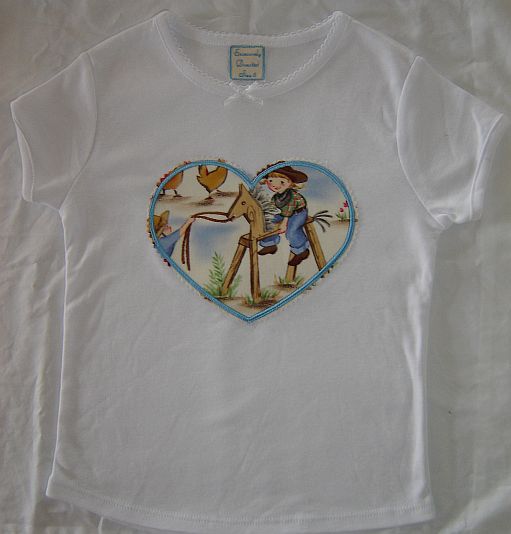
CowGirlSm

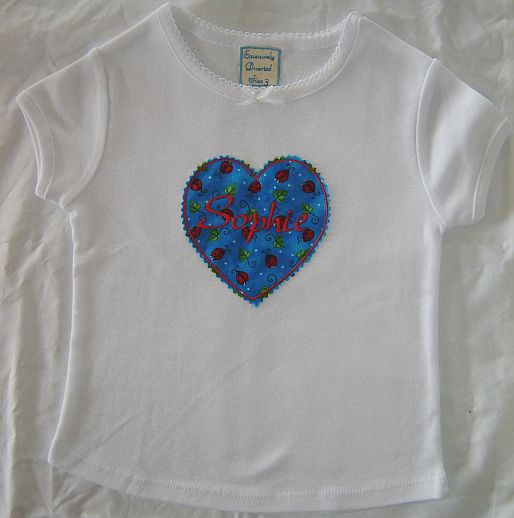
SophieSm

One of these is an order for my shop and the other are christmas presents – I hope to get some into my shop soon …

Leave a Comment

Filed under Machine Embroidery, Sewing

T-Shirts

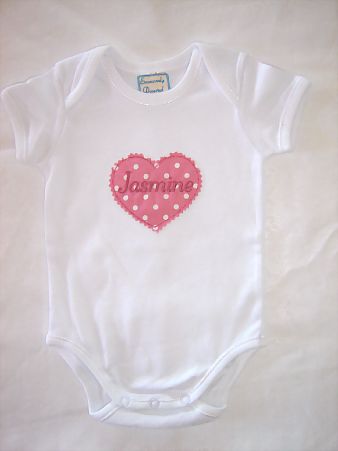
I’ve been working on some things for my store.

JasmineBodysuit

and

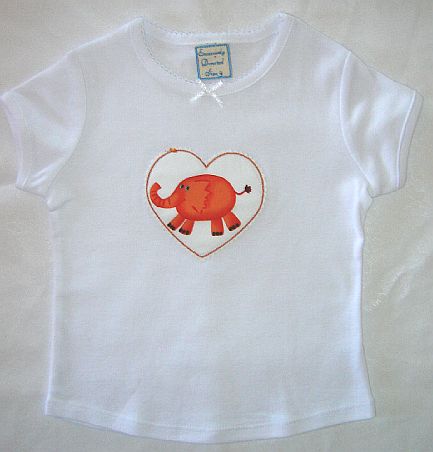
Elephant T-Shirt

I’m pleased with how the Elephant T-Shirt turned out. I have more of this fabric with different coloured animals and I plan to make a few of these T-Shirts with circles as well as hearts.

Feel free to email me (info@excessivelydiverted.com) if you’re interested in one (it will take me a while to update my store).

Leave a Comment

Filed under Machine Embroidery

Embroidered Towels

TowelEleri 

I’m making embroidered towels for a friend (see my store for other stuff).

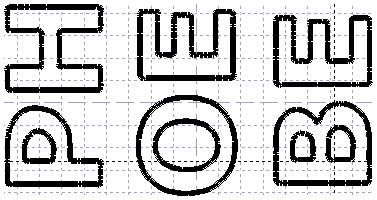
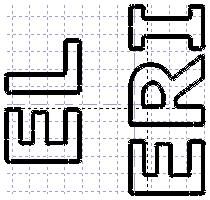
The font is verdana. I digitised it using a very old piece of software called Scansoft (I picked it out of the discount bin at my local Janome store). It creates designs in the old .sew format, so I converted to .jef in Embird and combined the letters for each name into one design.

PhoebeDesign

EleriDesign

I then put the designs on my USB stick, transfer to my sewing machine and sew them out.

SewingLetters

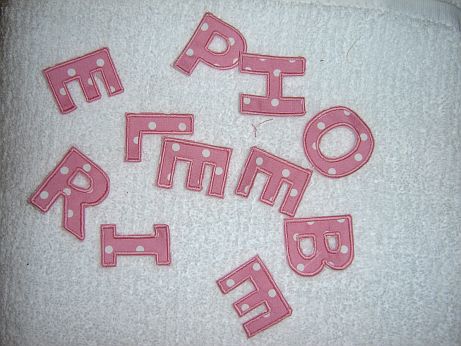
I then cut out the letters.

Letters

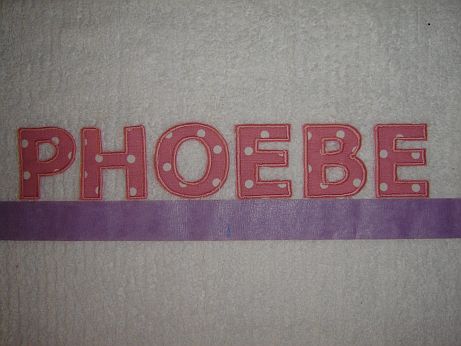
And finally attach the letters.

TowelPhobe

I use a basting spray to hold the letters in place temporarily and the purple masking tape to create a straight line.

1 Comment

Filed under Machine Embroidery

Cross Stitch Birth Sampler

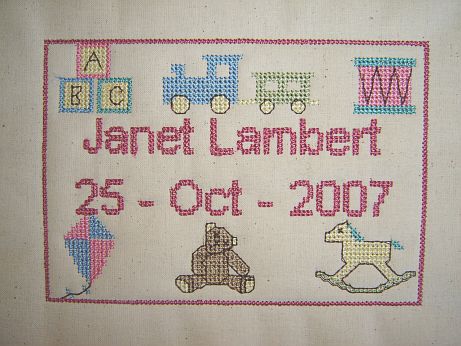
BirthSampler

I love the look of cross stitch, but simply don’t have the time (or patience) to make them by hand. I made the one above using my Janome 350e. I used a cross stitch design program to make the design (it’s one that saves into machine format) and Embird to convert the design into the Janome jef format.

The base fabric is calico and I used an iron-on pellon as the stabiliser. The finished size is 107.4mm by 155mm. I’m very pleased with the results.

I plan to add them to my store. I can alter the name and date easily. I will swap the pink text and border with blue for boys.

1 Comment

Filed under Machine Embroidery

Birthday Card – Bethany

Bethany’s Birthday Card

Another birthday card – sorry about the image my camera is out of action so I used the scanner.

2 Comments

Filed under Machine Embroidery